Close & get paid
Transactions
Everything you need from contract to close
Deals that keep themselves moving, from new client to closing.
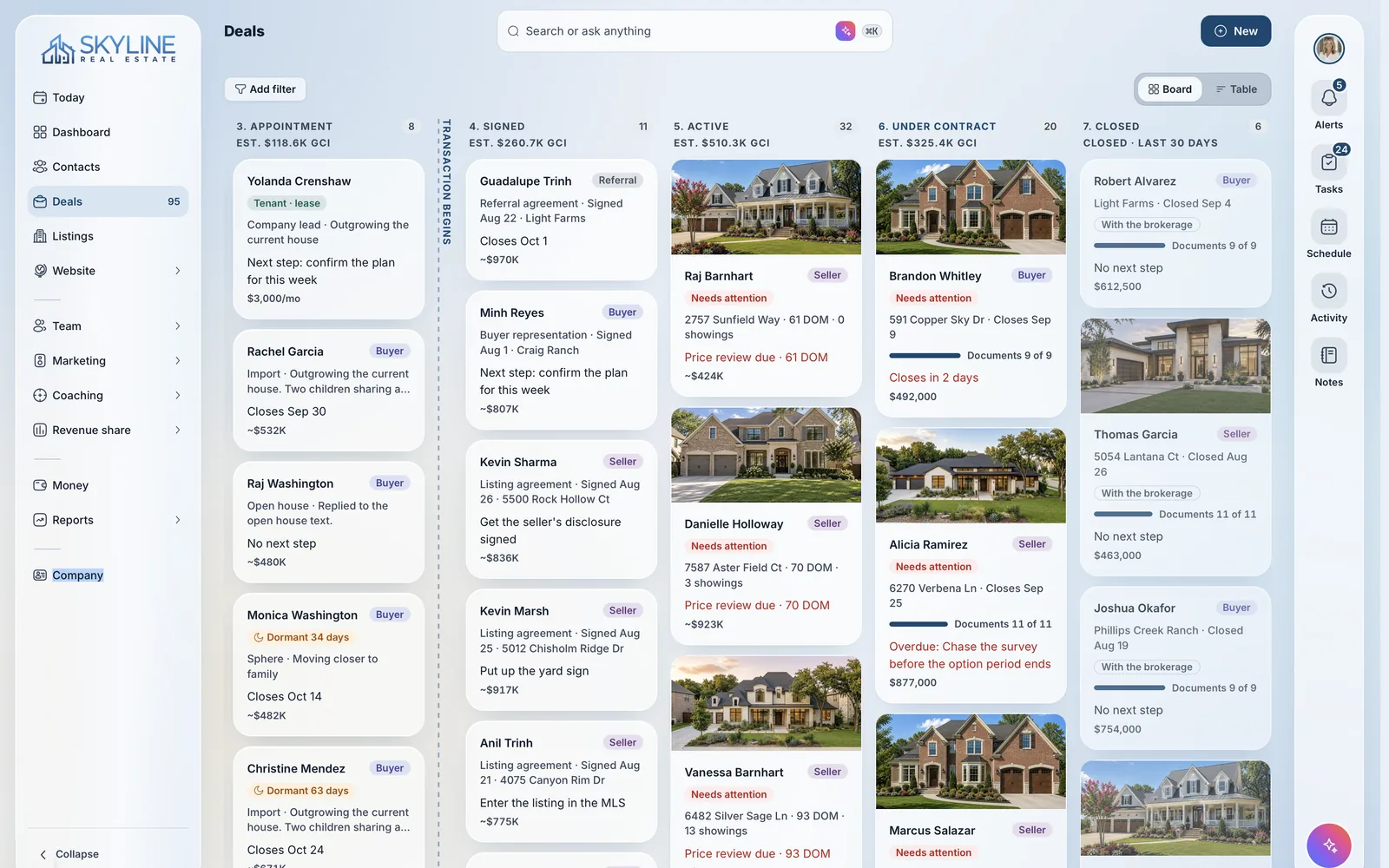
Every step runs in one place, from the first appointment to the closing table, and AI keeps everyone and every file up to date.
- Upload the contract. VybeOS reads the parties, price and every deadline, then builds the timeline and the checklist.
- Deadlines come from the contract and update when an amendment arrives.
- Checklists follow the terms. No financing contingency means no financing tasks.
- Document requests and lender and title updates are drafted for approval.
- A silent-file alert fires when a client hasn't heard from anyone.
- Wire-fraud warnings go to every client before closing.
- E-signature for transaction documents, never metered.
- Option period endsOct 18
- Financing approvalOct 27
- Survey dueOct 30
- ClosingNov 8
- Added to the deal timeline, with reminders for everyone on the deal.
How it works
From contract to closing day.
One accepted offer, and the work it sets in motion.
Contract read
The AI reads every contract document and pulls the parties, price, dates and terms.
Timeline built
Milestones and deadlines become a timeline with countdowns, and tasks go to the right people.
Checklist set
The document checklist adjusts to the contract terms and the state, and each upload is identified and checked off.
Documents chased
The AI transaction coordinator requests what is missing from clients, lenders and title, and logs their replies.
Clients informed
Status updates go out at each milestone, as the agent or their assistant, and clients follow along in the portal.
Amendments followed
When an amendment changes a date, the timeline updates with it, and a deadline at risk escalates to the broker.
Client portal
Clients follow the deal without calling to ask.
Every client gets a portal with all the activity, documents and next steps on their deal, so there are fewer calls and fewer worries.
- A visual timeline shows where the deal stands and what comes next.
- Documents are explained in plain language, with tasks and e-signatures in one place.
- AI sends clients updates as milestones are met, with push alerts.
- Messages with the agent stay on the deal, next to the documents.
- After closing, clients keep their property history, documents, contacts and more.
Every deal, one client
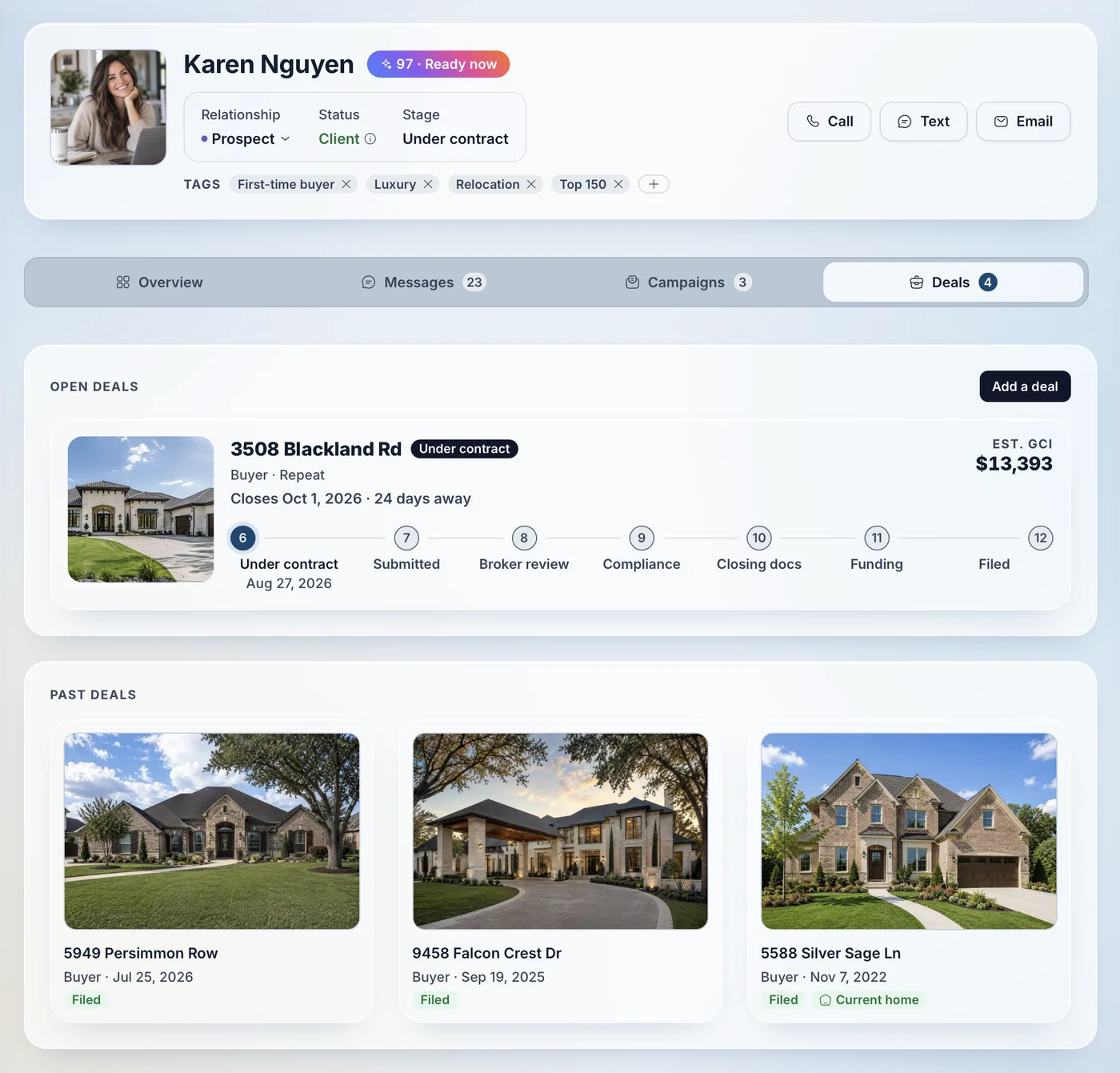
Every deal a client does with you, in one Client File.
When a client buys, sells or invests again, the new deal joins the same record, so the full history is always one click away.
- Current and past deals sit together inside the Client File.
- Sell the old house and buy the new one as two linked deals on the same client.
- Documents, notes and messages from earlier deals stay with the client for good.
- Repeat and referral business shows up on the client, not scattered across files.
FAQ
Questions about transactions.
Yes. Each deal has 14 party roles, and work can be delegated to a transaction coordinator, who works from the same checklist, tasks and timeline.
Nothing to install. Clients use the portal in any browser, with milestones, documents to sign, plain-language explanations and one thread with the whole transaction team.
Yes. Teams at other brokerages get transaction rooms, e-signature for buyer agreements, synced file status and broker file packets generated for them.
Have another question? Ask us in a demo.
Platform sections
See a contract become a closing plan.
We’ll upload a contract and show the dates, tasks, checklist and client updates it creates.
Are you an agent? Send VybeOS to your broker or team leader